
Which South African jobs are easiest to do from home
Which South African jobs are easiest to do from home? Usually customer support, virtual assistant work, online admin, basic sales support, simple scheduling, and some data-entry style roles. They work well for beginners because the tasks are process-driven, most of it happens over email or chat, and reliability matters more than specialist qualifications. This guide also shows how to spot adverts that look remote but still expect office visits, local-only availability, or vague duties.
Key takeaways
- Customer support, virtual assistant and online admin roles are the quickest entry points, because most tasks are handled by email, chat or shared systems.
- A realistic remote role usually needs a laptop or desktop, stable broadband and clear written communication, not specialist qualifications.
- If a listing says “work from home” but does not name the employer, duties or pay, treat it as a red flag before you apply.
- Check for office attendance, local-only availability and vague “training” language, because those details often hide a hybrid role.
- Before starting, confirm whether you will be hired as an employee or contractor, because the tax and record-keeping steps are different.
Which South African jobs are easiest to do from home?
| Role | Typical experience level | Why it works remotely | Common South African listing examples | Caution signs |
|---|---|---|---|---|
| Customer support or chat support | Entry-level to some experience | Work happens in a ticketing system, live chat, email, or a call platform | Remote customer experience roles on Pnet and support-style listings on Remote4Africa | Training is on-site, shifts are hidden, or the advert says remote but adds in-office attendance |
| Virtual assistant | Entry-level if the tasks are simple | Calendar work, inbox handling, research, and follow-ups are easy to manage online | Assistant and coordination roles on Job Duck and similar remote boards | The advert asks for executive-level judgment, travel, or all-day availability without naming tasks |
| Online admin | Entry-level | Admin is mostly document handling, form-filling, file updates, and data checks | Remote admin and operations listings on South African remote work listings | The post says admin but really means sales, reception, or procurement |
| Remote data entry | Entry-level | Typing, checking, and moving information between systems can be done from home | Short-term and contract-style listings on Pnet and Remote4Africa | Very vague descriptions, unrealistic speed claims, or no mention of source documents |
| Basic sales support | Entry-level to some experience | Lead follow-up, CRM updates, appointment booking, and quote prep are digital tasks | Appointment setter and support roles on Remote4Africa | Commission-only pay, no base salary detail, or pressure to use personal contacts |
| Simple scheduling or coordination | Entry-level | Calendar management and meeting coordination sit naturally in email and shared calendars | Coordinator roles and assistant listings on Job Duck | The employer expects advanced project control, client management, and on-call availability |
| Marketing support or content assistance | Entry-level to intermediate | Posting, formatting, updating assets, and tracking simple tasks can be handled online | Some remote marketing assistant roles on Pnet | The advert wants a specialist portfolio, campaign ownership, and several years of experience |
| Roles that often look easy but are usually padded | Varies | Some adverts dress up harder work as home-based convenience | ‘Work from home’ ads without a named employer, salary, or duties | Any listing that promises quick money, gives no proper contract detail, or blurs contract and employment |
What skills and equipment do these roles usually need?
- Core skills are written communication, basic computer confidence, time management, reliability, and handling email or chat professionally. Employers want someone who can reply clearly, keep track of tasks, and follow instructions without constant chasing.
- Role-specific skills matter once you narrow the job. Admin and operations roles usually ask for spreadsheet use, inbox management, note-taking, calendar work, or simple CRM familiarity. Support roles lean on customer handling and calm message writing, while marketing support may want basic content formatting or social post updates.
- Equipment usually starts with a work laptop or desktop computer, stable broadband or fibre internet, a headset for calls, a webcam for interviews or team meetings, and a quiet workspace. Software often includes Microsoft Teams, Zoom, Microsoft Office, or Google Workspace, which is why listings that mention these tools are usually more realistic than vague adverts.
- Proof of readiness can be simple. A short course, one clean portfolio sample, a reference, or a brief note on your home setup can strengthen an application. For example, a line on a CV such as ‘Handled shared inbox replies and appointment bookings for a small local business’ tells the recruiter far more than ‘good communication skills’.
- The non-negotiables are reliability, a working device, and a stable connection. Optional extras are role-specific certificates, a portfolio, or advanced software knowledge, so do not buy expensive kit before the advert makes the requirement plain.
How do you tell if a listing is genuinely remote?
- Check the wording first. A real remote advert says fully remote, remote, hybrid, or occasional office attendance. Treat phrases like ‘work from home available’ with caution, because they often hide office training or local-only rules.
- Read the employer details next. A genuine listing normally names the company, gives a proper job title, explains the duties, and shows a salary or pay range where possible. A single personal email address or a message-only application route is a weak sign.
- Cross-check the role on the company careers page, then compare it with trusted boards such as Pnet, Job Duck, Remote4Africa, or Crossover. If the same role appears in several places, the wording should line up closely; if it does not, something is off.
- Watch for red flags. Upfront fees, pressure to apply immediately, copied job descriptions, no company information, or requests for ID and banking details too early all deserve a hard stop. Remote4Africa and Pnet both show how proper listings normally include job pages, pay clues, and application links rather than only a vague promise.
- If the listing passes the test, compare the job title, duties, pay, hours, and location terms before you send anything sensitive. Then send a tailored CV and short cover note, not a generic blast, and attach documents only through the employer’s application route.
What employment and tax rules should you understand before starting?
The first thing to check is whether the role is employment, contract work, or freelance work, because that affects supervision, leave, pay timing, and who carries the admin burden. An employed remote worker is usually on payroll with set reporting lines, while a contractor normally invoices for work and handles their own tax and records. The same job title can fall under either arrangement, so ask for the contract wording before you accept anything.
Payroll and working hours are usually clearer in employee roles, because the employer sets the shift pattern, leave process, and performance check-ins. Contractor roles often give the worker more control, but that also means less built-in support and more responsibility for tracking income and expenses. For South Africa, it is sensible to confirm the current position with SARS and the Department of Employment and Labour before you sign, especially if the advert mixes terms like ‘remote contractor’, ‘consultant’, and ‘employee’ on one page.
The safest habit is to treat the offer letter as a document to inspect, not as the finish line. If the paperwork doesn’t say who pays you, how often, what happens if work slows, and whether you are an employee or independent contractor, you still don’t know what you’re agreeing to. That is where a lot of people get caught, because the remote part gets all the attention and the employment setup gets overlooked.
Where should you look for genuine work from home jobs?
- South African job boards with a remote filter are a good starting point, especially when the advert shows a named employer, a real job title, and clear location terms. Pnet is useful here because remote vacancies are often marked plainly rather than hidden inside broad search results.
- Remote-first employers and specialist platforms are worth checking when you want a cleaner remote-only signal. Job Duck, Remote4Africa, FlexJobs, and Crossover all publish remote roles or remote-focused listings, and those adverts usually say more about tools, hours, and onboarding than generic job boards do.
- Search terms should be practical, not glamorous: remote, work from home, hybrid, virtual assistant, customer service, admin assistant, appointment setter, and entry-level remote jobs. Adding the actual task is better than searching for ‘easy online job’, because that phrase attracts low-quality adverts fast.
- Compare more than one source before you apply. The same job can appear with slightly different pay, title, or location wording across platforms, and that comparison makes fake or copied listings easier to spot. If one version says South Africa and another says global, pause and read carefully.
- Build a small application pack before you start sending CVs. Keep a tailored CV, a short cover note, and scanned documents ready, and add one simple portfolio sample if the role is admin, support, marketing, or coordination. A clean pack helps you move quickly when a real opening appears.
Verification checklist before you apply
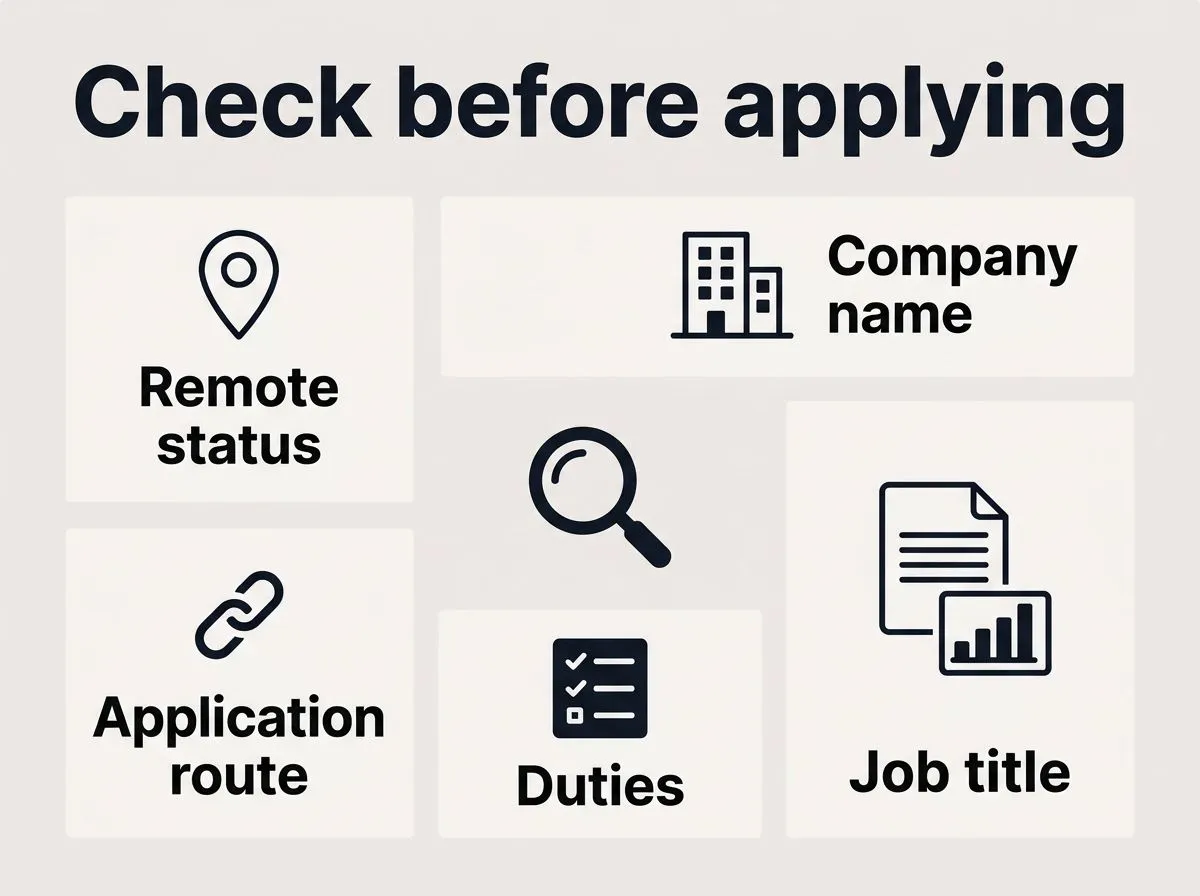
- The advert must say whether the job is fully remote, hybrid, or office-based, and the wording must match the actual attendance requirement.
- The company name, job title, duties, and application route must all be visible, and they must make sense together.
- The pay, hours, and contract type must be stated clearly enough for you to tell whether the role is employment or contract work.
- You must be able to explain in one sentence what software, connection, and documents the job needs, and your application pack must already cover them.
Frequently asked questions
Are data entry jobs still common among work from home jobs in South Africa?
Yes, but they are often packaged badly. In South Africa, the better listings usually mention the source documents, the systems involved and the employer, while vague adverts with no real task detail are the ones to treat carefully. If a post promises easy typing with unrealistic speed or no company name, that is a warning sign rather than a shortcut to a job.
Do you need a degree for entry-level remote work?
Not always. For entry-level remote work, employers usually care more about clear communication, computer confidence and evidence that you can handle the actual tasks than about a degree. A short course, a simple portfolio sample or proof that you have handled inboxes, bookings or admin can help more than a qualification alone.
Can you do remote work on a phone only?
Usually not for proper job listings. Most legitimate remote roles expect a laptop or desktop, stable internet and enough access to use email, documents, chat or call software properly. A phone alone might be fine for checking messages, but it is rarely enough to do the work consistently or meet employers’ expectations.
What is the safest first step after finding a promising listing?
Check the employer’s own careers page or official site first, then compare the advert with the version on the job board before you send anything. Make sure the job title, duties, pay, hours and location terms all line up, because copied or altered adverts are common. Only share documents through the employer’s application route once those details match.